
Start with the right period
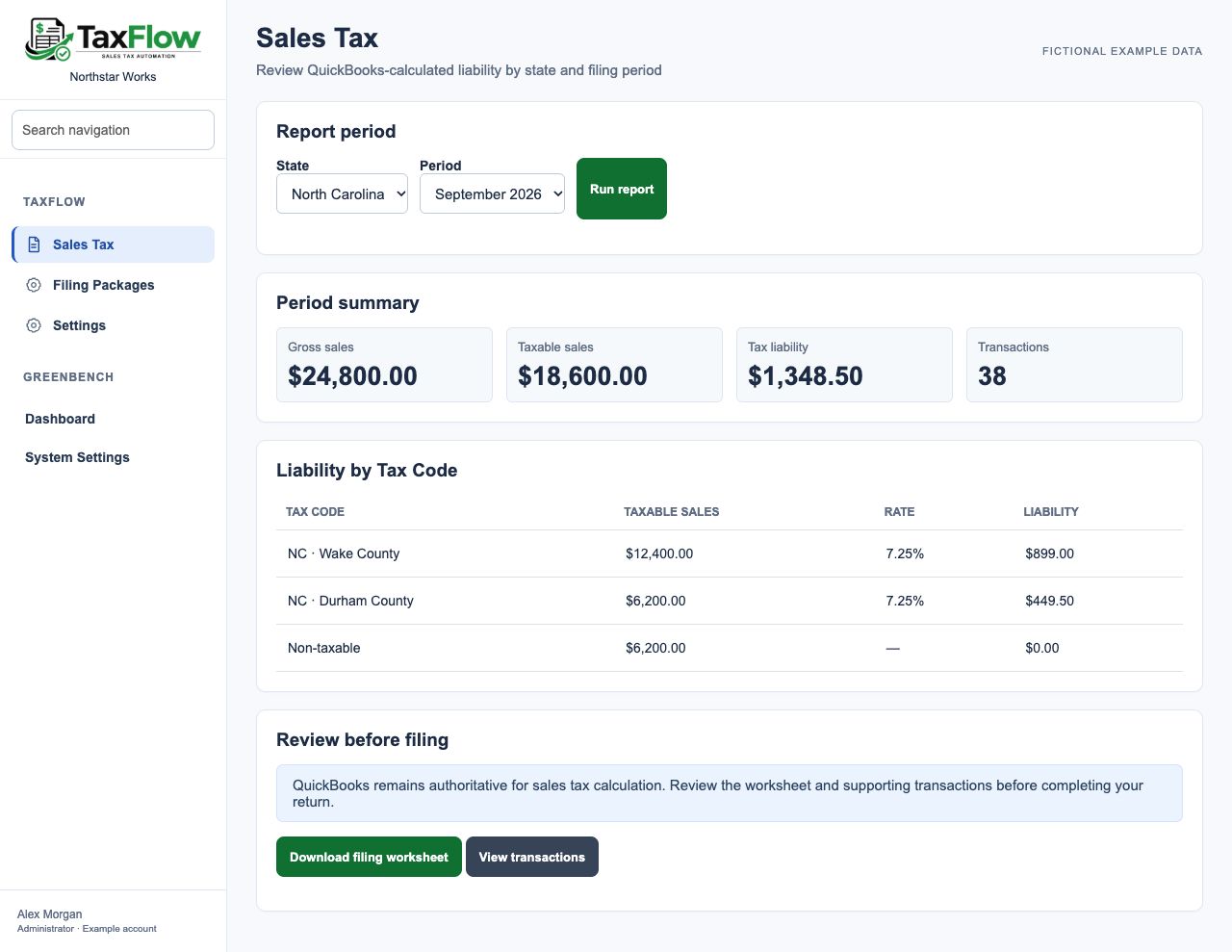
State and period selection put the filing review around a defined set of transactions.
SALES TAX REVIEW & FILING PREPARATION
Sales tax preparation should begin with numbers you can trace. TaxFlow organizes QuickBooks sales tax data into period and state views, liability detail, and worksheets that help you review the return before filing.
A LOOK INSIDE TAXFLOW
Explore both sides of the workflow using a fictional business, Northstar Works, and its customers.
Select a state and reporting period, then review taxable sales and QuickBooks-calculated liability with tax-code and jurisdiction detail.
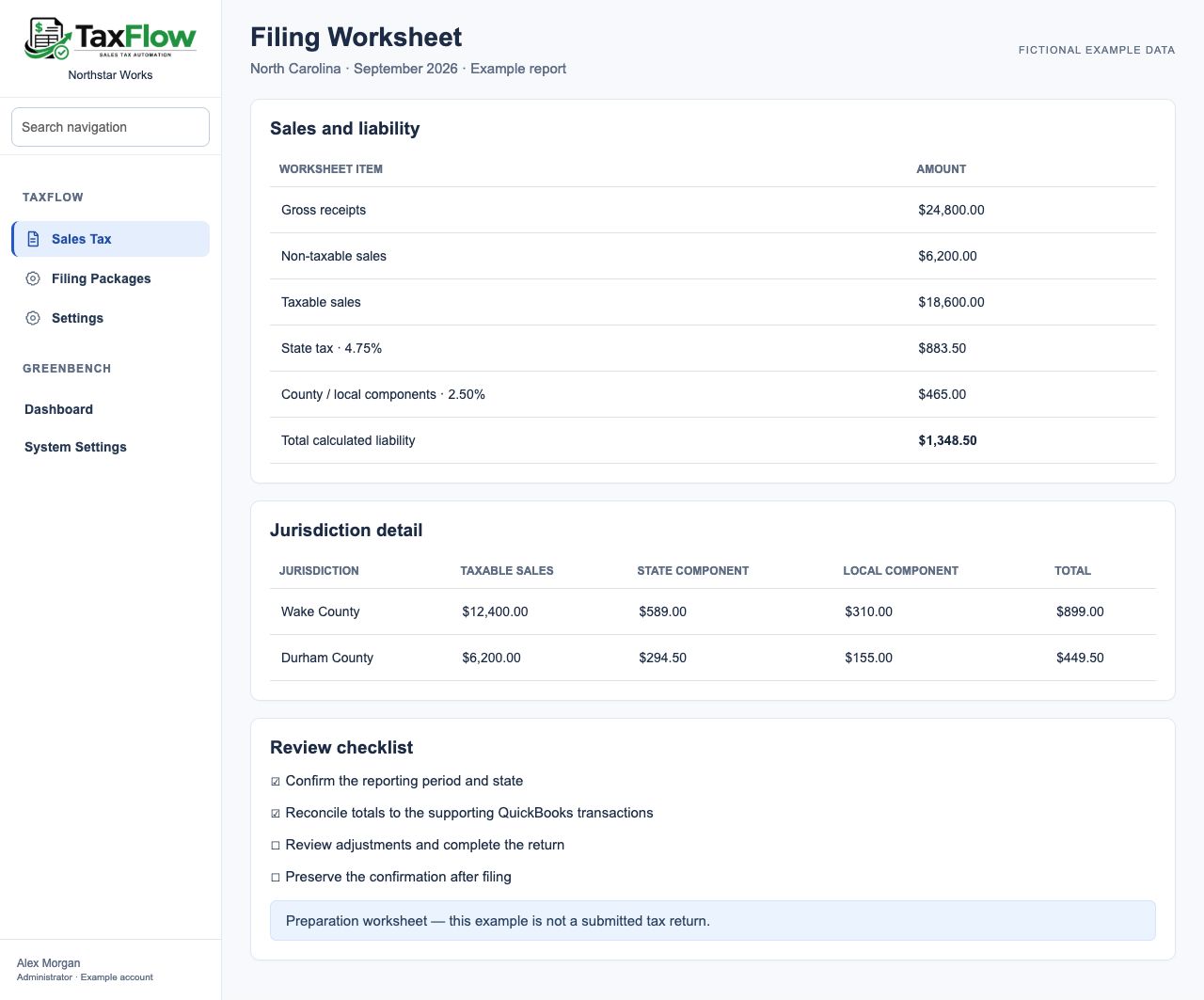
Use a downloadable worksheet and review checklist to reconcile the period. TaxFlow serves your internal finance team; this is a preparation output, not a customer portal or a submitted return.
WHAT CHANGES FOR YOUR BUSINESS
State and period selection put the filing review around a defined set of transactions.
Tax codes, rates, and state or county components provide detail behind the liability.
Preserve filing packages and record confirmations for returns completed outside GreenBench.
FROM TASK TO FOLLOW-THROUGH
Start with the job your business needs to get done. Build the process around the people responsible for it.
Select the state and period you need to review.
Inspect taxable sales, calculated liability, and transaction or jurisdiction breakdowns.
Download the worksheet, complete your filing process, and keep the supporting package and confirmation.
WHERE IT FITS
The filing deadline arrives with more than one rate and county in the sales records. The team needs to understand what makes up the total, review the supporting transactions, and retain the preparation work for the next question. TaxFlow brings that detail into the period review.
Illustrative business scenario.SEE GREENBENCH AT WORK
Use the demo to explore a job you want to handle better. We’ll walk through the relevant products, look at how they could fit your current routine, and discuss where to start. No need to have the whole plan figured out.