
Explain the gap between sales and deposits
Processing fees and payout timing become part of the review, rather than a mystery to unravel later.
PAYOUTS, RECEIPTS & DEPOSITS
The number in the bank is only the end of the story. LedgerSync helps match payments, processing fees, Stripe payouts, and supported ACH or wire receipts to QuickBooks—so the books reflect what actually arrived.
A LOOK INSIDE LEDGERSYNC
Explore both sides of the workflow using a fictional business, Northstar Works, and its customers.
See what is ready to deposit, what needs attention, and where unapplied payments remain. Configure supported automation for eligible records and keep the items that need judgment visible.
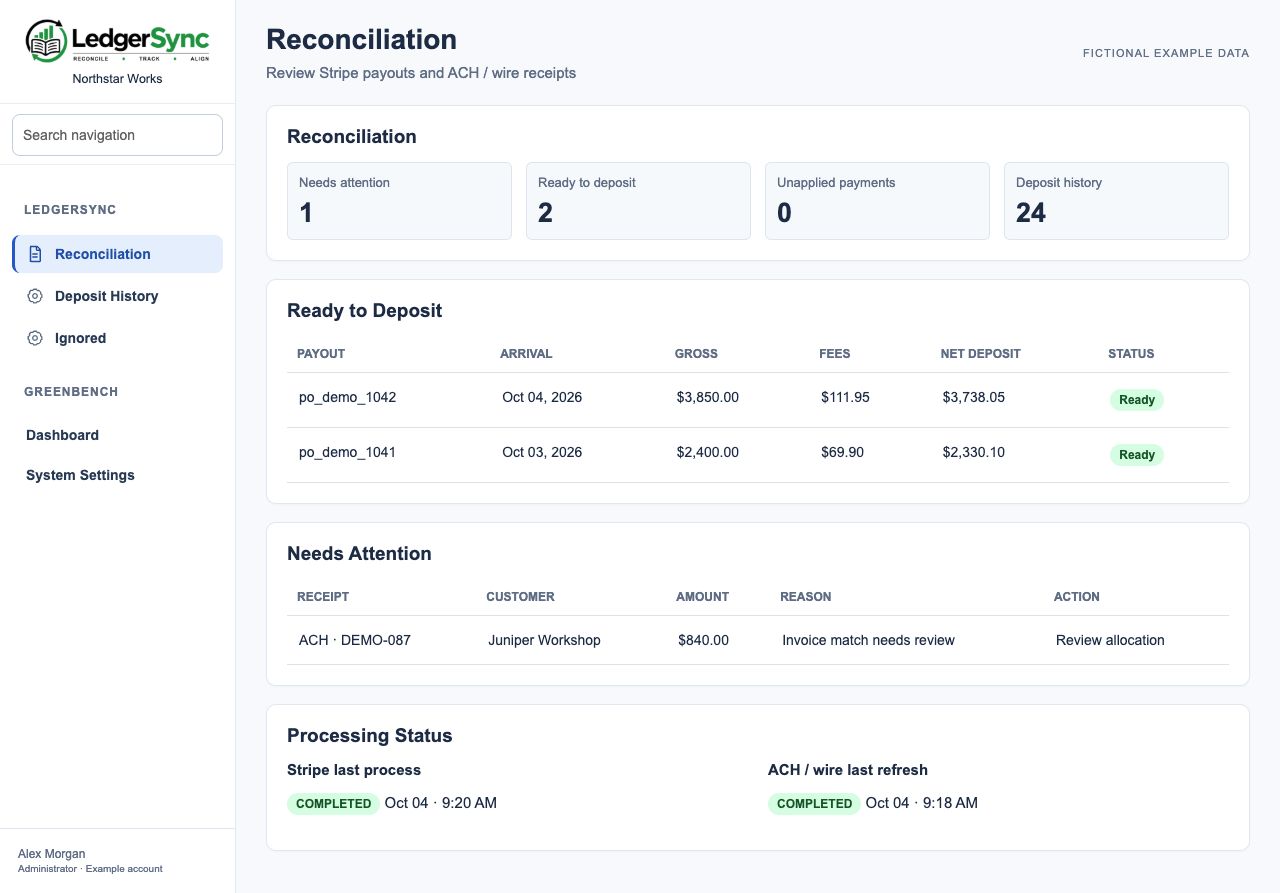
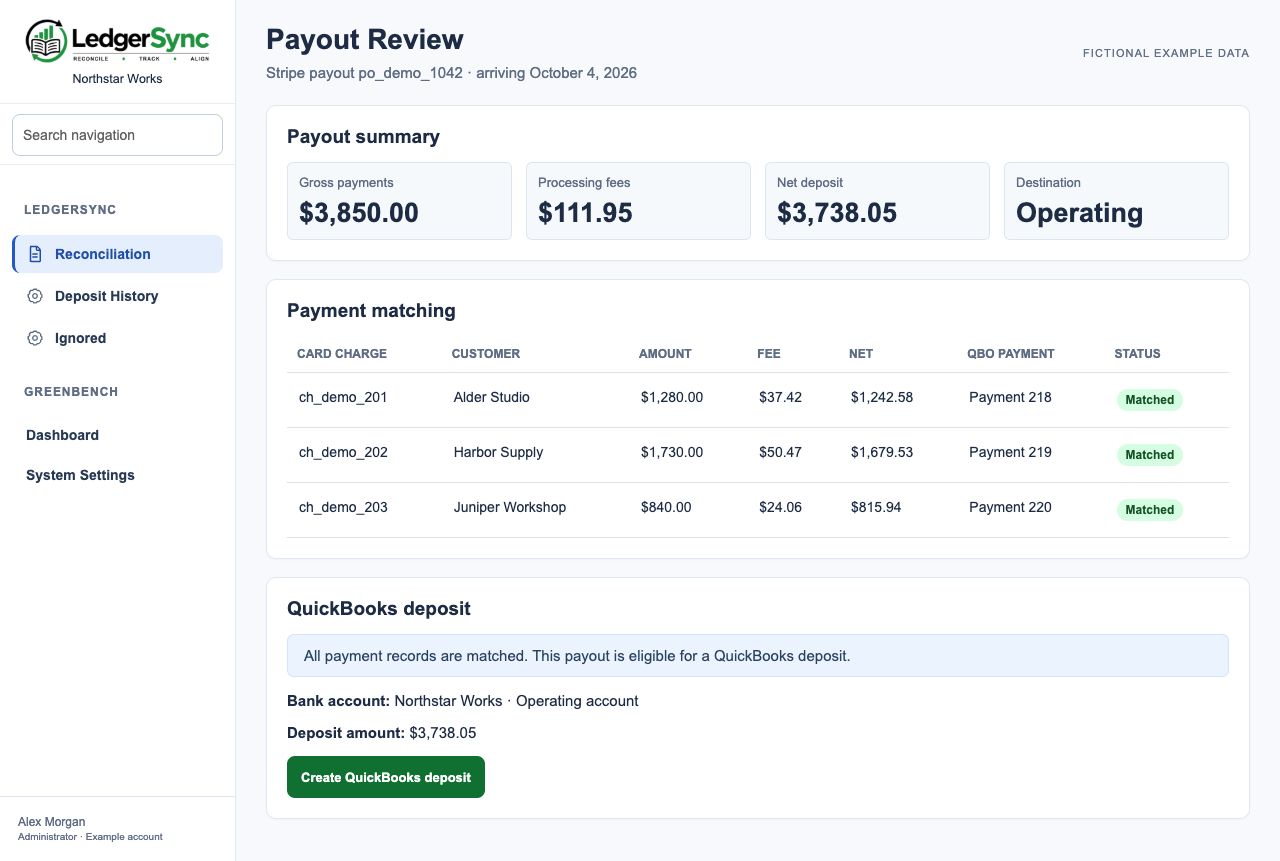
Review the charges, fees, net amount, and QuickBooks payment matches behind a payout before creating an eligible deposit. LedgerSync is an internal finance tool; customers continue to use their billing and ordering portals.
WHAT CHANGES FOR YOUR BUSINESS
Processing fees and payout timing become part of the review, rather than a mystery to unravel later.
Eligible Stripe payouts and supported ACH receipts can follow configured processing rules.
Unapplied payments and receipts needing invoice allocation remain visible for a human decision.
FROM TASK TO FOLLOW-THROUGH
Start with the job your business needs to get done. Build the process around the people responsible for it.
Review Stripe payouts and supported bank receipts.
Match customer payments and invoices; investigate exceptions and allocation details.
Create eligible QuickBooks deposits and preserve a history of the processing work.
WHERE IT FITS
Sales arrive as individual payments but the bank receives combined net deposits. The finance team needs the fees and customer payments accounted for without reconstructing each payout in a spreadsheet. LedgerSync makes that reconciliation a reviewable workflow.
Illustrative business scenario.SEE GREENBENCH AT WORK
Use the demo to explore a job you want to handle better. We’ll walk through the relevant products, look at how they could fit your current routine, and discuss where to start. No need to have the whole plan figured out.